

Receive business payments from Amazon Global Selling at 0 Forex margin
2000+Amazon exporters trust Skydo
Instant FIRCAuto EDPMS closure
VAT paymentsand refunds for UK and EU
Maximise your Amazon earnings
Your name
WhatsApp number
+91
I agree to be contacted by Skydo on WhatsApp
INDIAN GLOBAL SELLER COMMUNITY
Ask questions, share insights, and learn from 300+ Indian Amazon exporters
Scan or tap to join




Featured
Skydo receives Payment Service Provider (PSP) license from Amazon. Read more
Save ₹9.15L annually with Skydo!
What you receive


23,84,777
₹23,50,889
-₹33,888
₹23,50,889
-₹33,888
₹23,08,529
-₹76,249
Monthly RevenueUSD 25,000
Over $100M processedTrusted by 10,000+ businesses
Know what you payGet live FX rates with zero margin, No other hidden charges
You pay
For monthly payments under USD 10,0000.5%(min $2)
You pay
For monthly payments above USD 10,0000.3%
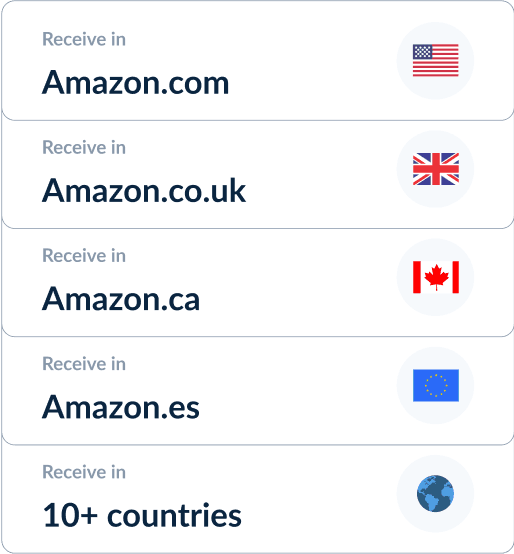
Withdraw seamlessly across Amazon globally.
Skydo provides global accounts to withdraw payments from Amazon in US, UK, Canada, Spain & 10+ countries.
Receive payments in USD, GBP, EUR, AUD, CAD & more.
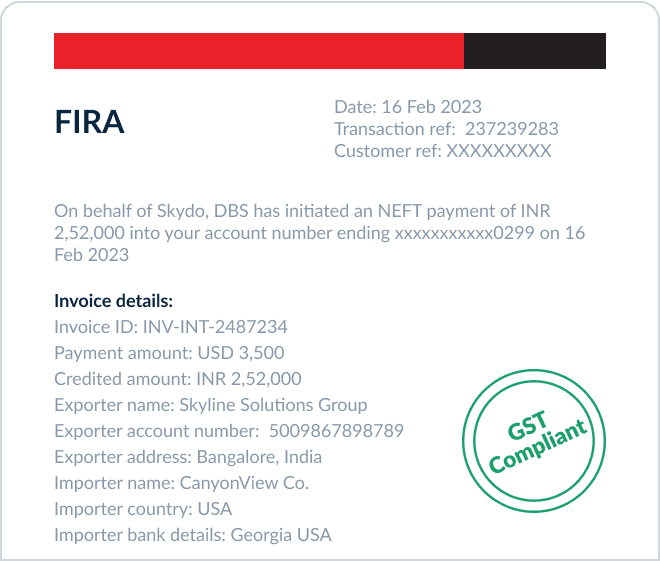
Instant FIRA.Zero stress.
Get FIRA instantly in your inbox or download it any time from Skydo dashboard!
Skydo is compliant with international financial regulations, ensuring your money is safe and transfers are secure.
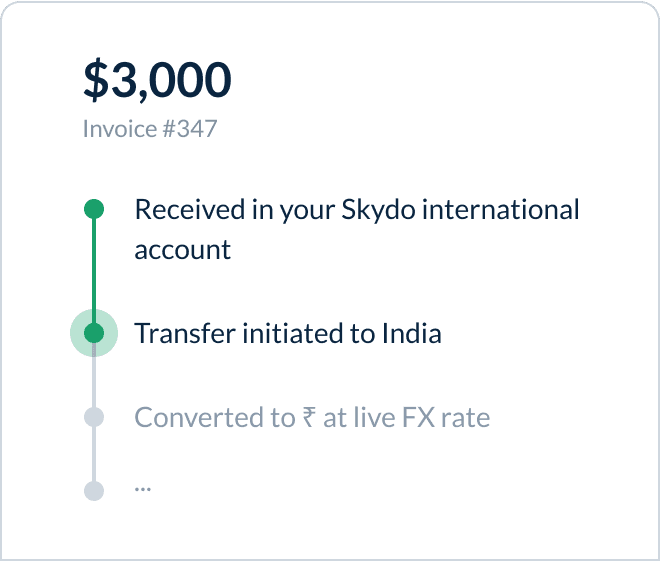
Dedicated local support, with seamless payments.
On-call support: Our team is available on call, WhatsApp and mail to resolve your queries within 2 business hours.
Seamless experience: Receive your payments in less than 24 hours & track every step.
How to link Skydo to

1
Get Your Skydo Account DetailsLog in to your Skydo dashboard and go to International accounts section to find your global bank account details for the country of your Amazon store
2
Add it on Amazon Seller CentralIn Amazon Seller Central,
go to Settings > Account Info. Under the Deposit Method section, add your Skydo global account.
3
Withdraw Your EarningsWhen you’re ready to transfer funds,
Go to Activity > Withdraw > Bank Account in Seller Central. Your earnings will soon appear in your Skydo account.


See what our clientssay about us

Yuvaraj Thanikachalam | Founder & CEO @KreatorverseYuvaraj ThanikachalamFounder & CEO @Kreatorverse

Chirag Lathiya | Founder, Tech-up LabsChirag LathiyaFounder, Tech-up Labs

Harshal | Founder, MobipriseHarshalFounder, Mobiprise
Bengaluru, Karnataka
Second Floor, Indiqube Serenity, Phase 2, 31, Hosur Rd,near Vishal Megamart, Muneswara Nagar, Sector 6, HSR Layout,Bengaluru, Karnataka, 560068
Company
Copyright © 2026 Skydo Technologies Private Limited