A Quick Guide to Using the Skydo Platform

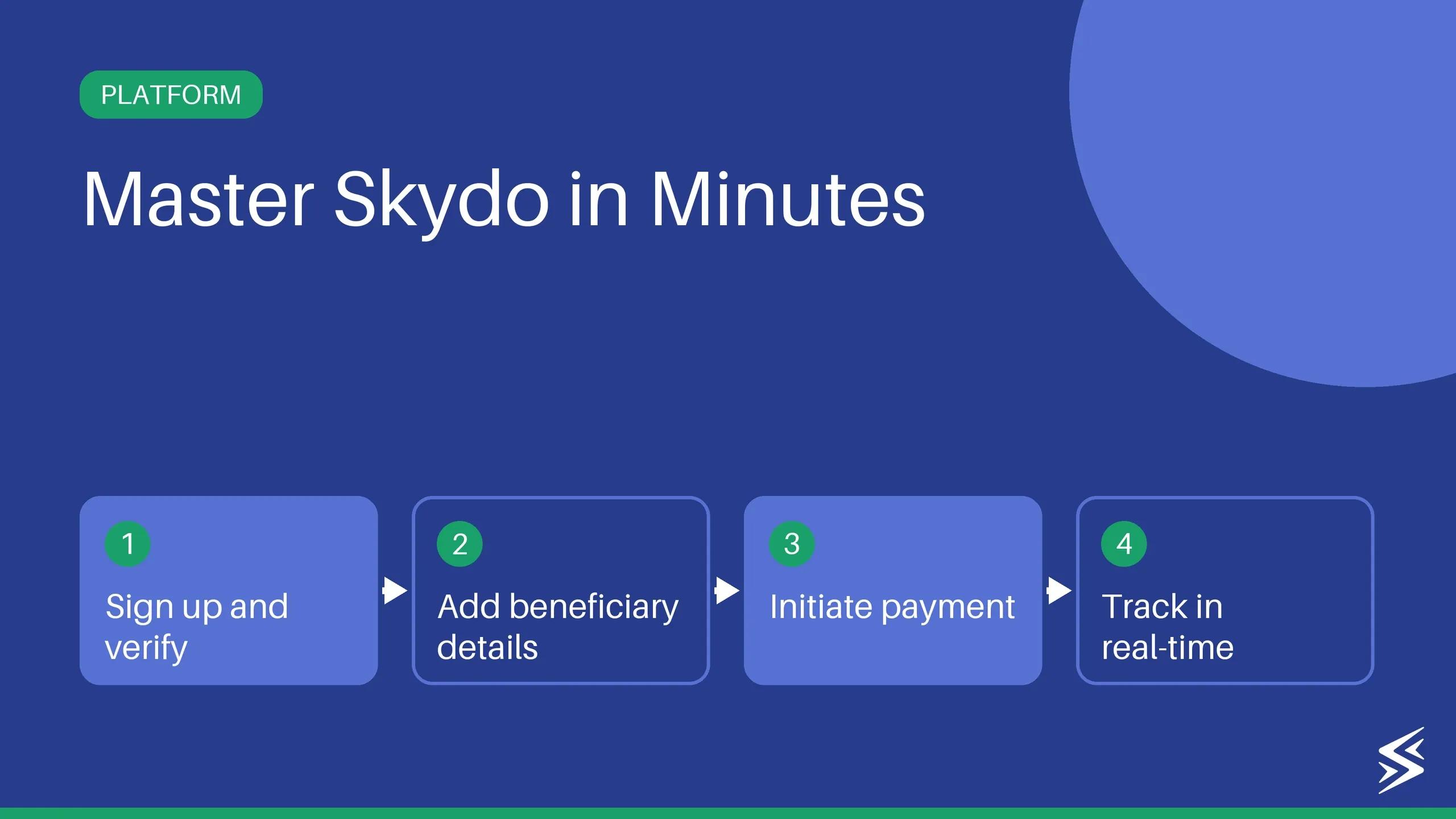
From signup to first payment in under 5 minutes. Local accounts, flat fees, instant FIRA, RBI-authorised.
Embarking on the journey of business expansion is like navigating uncharted waters and seeking new horizons.
Your mission? To captivate your customers with novel services, elevate their experiences, and streamline your operations. To make wise choices, you must access extensive data and advanced analytics. Additionally, if you’re running an export business, comprehending your payment data is essential.
The new Skydo dashboard centralises all your accounts receivable data within a convenient interface. This innovative dashboard presents your data through an intuitively designed, user-friendly layout, offering seamless access to crucial payment insights.
As you set sail towards growth, let Skydo be your compass, guiding you through the intricacies of expansion. Here’s how.
Accepting International Payments With Skydo Made Easy

Save 50% on every international transfer
- Receive from 150+ countries
- Get global accounts
- Zero forex margin
#1: Complete your onboarding journey with Skydo in 5 minutes
The onboarding process with traditional payment vendors generally takes 4-7 days to complete the onboarding process. However, when you want to expand your business, time is of the essence. That’s why, our onboarding journey is designed to be a breeze, allowing you to get started in just 5 minutes.
Got US and UK bank accounts in minutes. Love the seamless payment experience and automatic tracking.

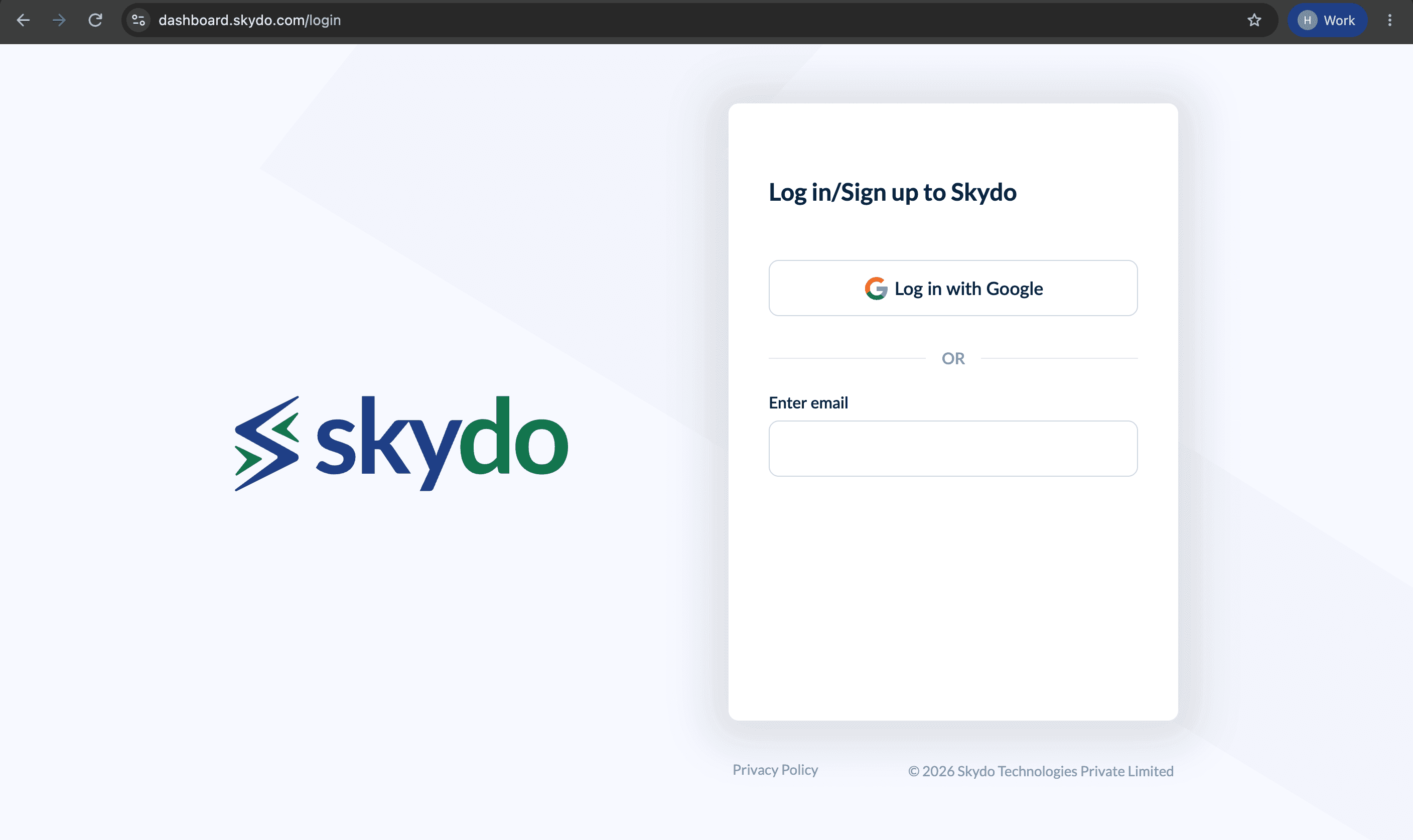
Here is the step-by-step onboarding process.
Signing up on Skydo takes about 5 minutes and runs in five steps. Keep your PAN, Aadhaar, Indian bank account details and last 3 months' bank statement (as a PDF) ready before you start. The full walkthrough with screenshots is in our guide on how to sign up on Skydo.
- Create your account: Click "Get Started" on the Skydo homepage, enter your name and mobile number, then add your email through Google login or a 6-digit email OTP.
- Add your business details: Enter and verify your business PAN (freelancers and sole proprietors can use their personal PAN), then add your website or social link, what you sell, and your typical payment size.
- Verify your Aadhaar: Complete Aadhaar verification through DigiLocker, then confirm your mobile number with a 4-digit OTP. Your international accounts are linked to this number.
- Add your bank account: Enter the account number and IFSC code of the Indian bank account, in your name, where you want payments settled.
- Upload one document: Upload your last 3 months' bank statement as a PDF to start receiving payments instantly. Other documents also work, but Skydo reviews those manually before payments can begin.
Once verification is done, your dashboard shows your Skydo USD account details, ready to share with your first client.
#2: Track all of your payment summaries, recent transactions, and outstanding
The Skydo dashboard shows your payment summary, recent transactions and outstanding invoices on one screen as soon as you log in. You can see the total revenue you've received, the payments still in progress and the invoices your clients haven't paid yet, so there's no need to pull the numbers together in a spreadsheet.
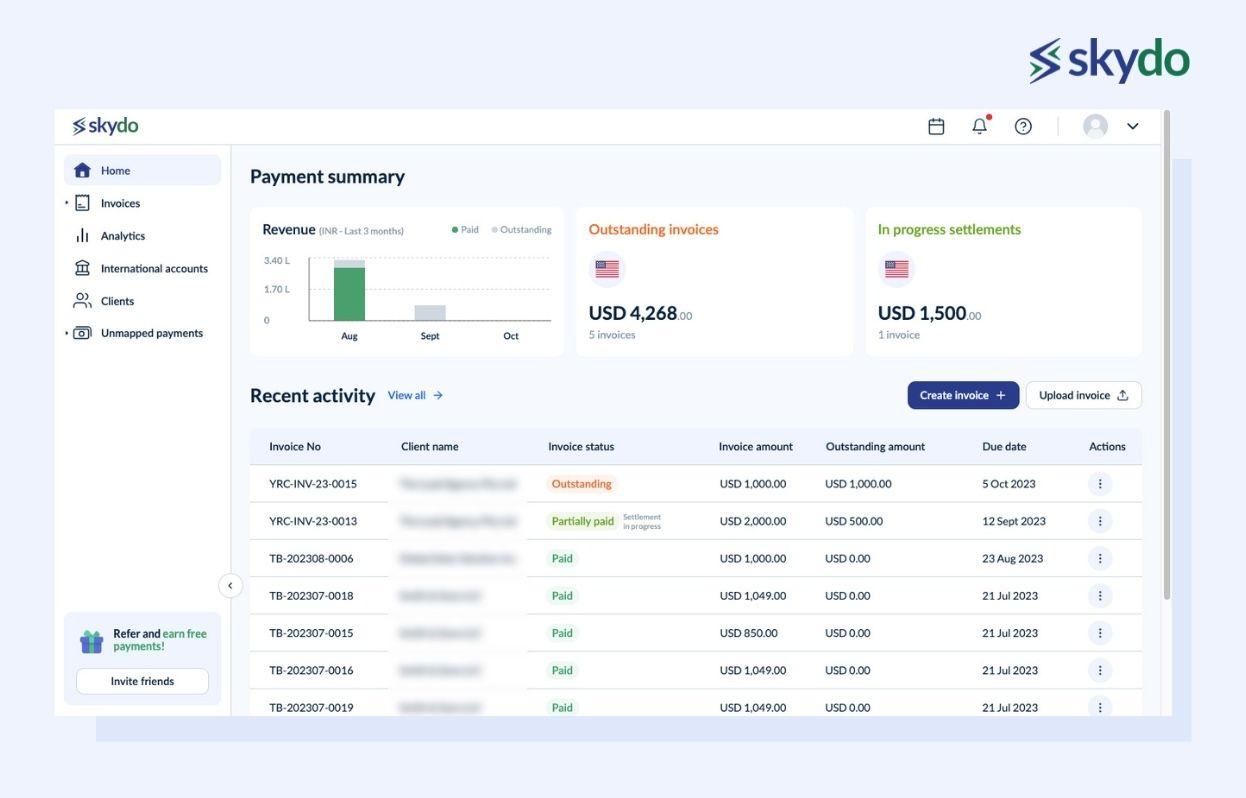
Every unpaid invoice stays visible on the dashboard until the client pays it, so you can follow up on outstanding invoices before they turn into a cash flow gap. Payments already on their way show their settlement status in real time, from the moment your client sends the money to the moment it lands in your Indian bank account.
#3: Invoice creation and auto e-invoicing features
Skydo lets you create GST-compliant invoices for free from your dashboard, in USD, GBP, EUR, CAD or INR. Your company details fill in automatically, you pick the client and add the services you've delivered, and Skydo tags the invoice with the right purpose code. Once it's final, you can generate an e-invoice with a QR code, send the invoice to your client or download it as a PDF. Invoicing works on desktop only for now.
Click "Create a new invoice" and Skydo fills in your company details on its own. Under "Bill To", you can pick an existing client from your saved list or add a new one, so client names and details stay consistent across every invoice you send.
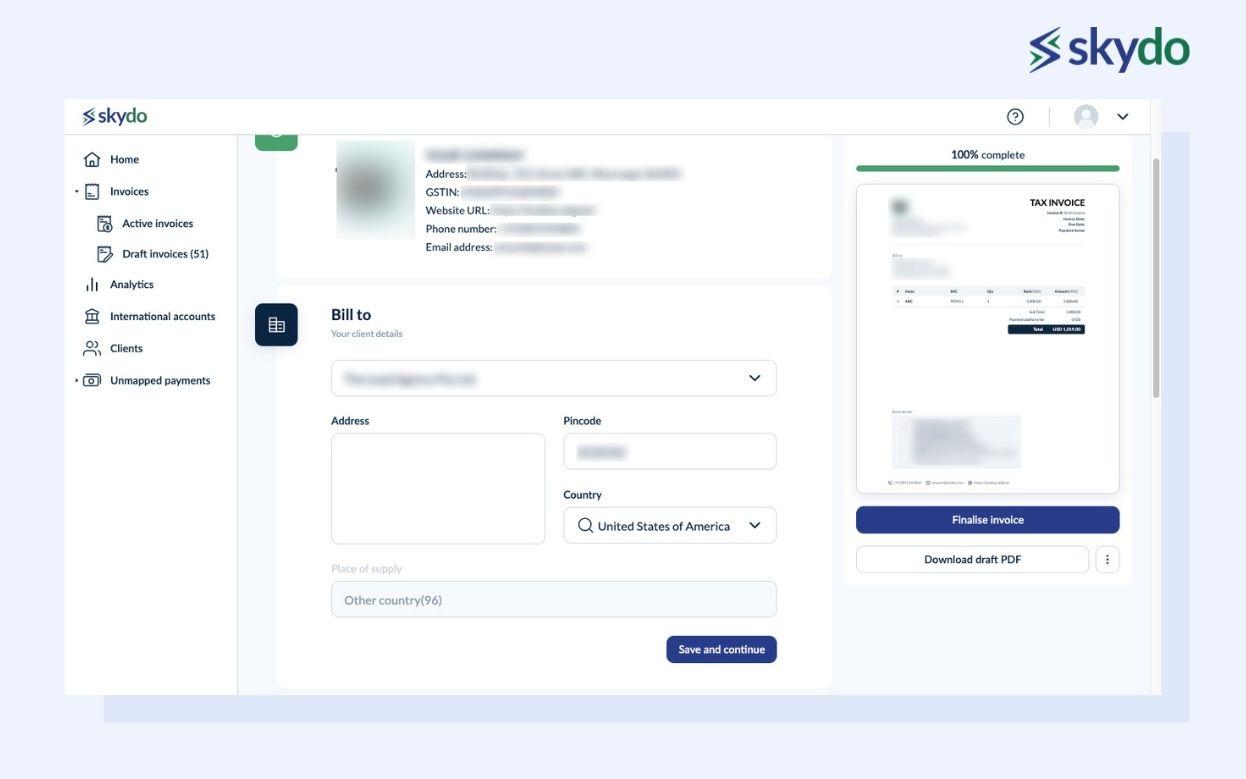
Click "Save and Continue" to move to the itemization section, where you list the services you've delivered with the service name, SAC code, quantity, rate and amount. You can also add a discount or add Skydo's fee to the invoice total. Skydo tags the invoice with the correct RBI purpose code automatically, which is the code banks use to report why the foreign payment came into India.
Next, pick the invoice currency, and Skydo adds the matching local account to the invoice by default (for example, your US account details on a USD invoice). You can switch to a different account, but keeping the account that matches the currency means your client pays as a local transfer and avoids extra conversion or intermediary charges.
You can add notes to the invoice for anything your client needs to know, such as payment terms or a project reference. For export invoices in a foreign currency, add your Letter of Undertaking (LUT) as well, so the invoice shows the export as a zero-rated supply billed without IGST.
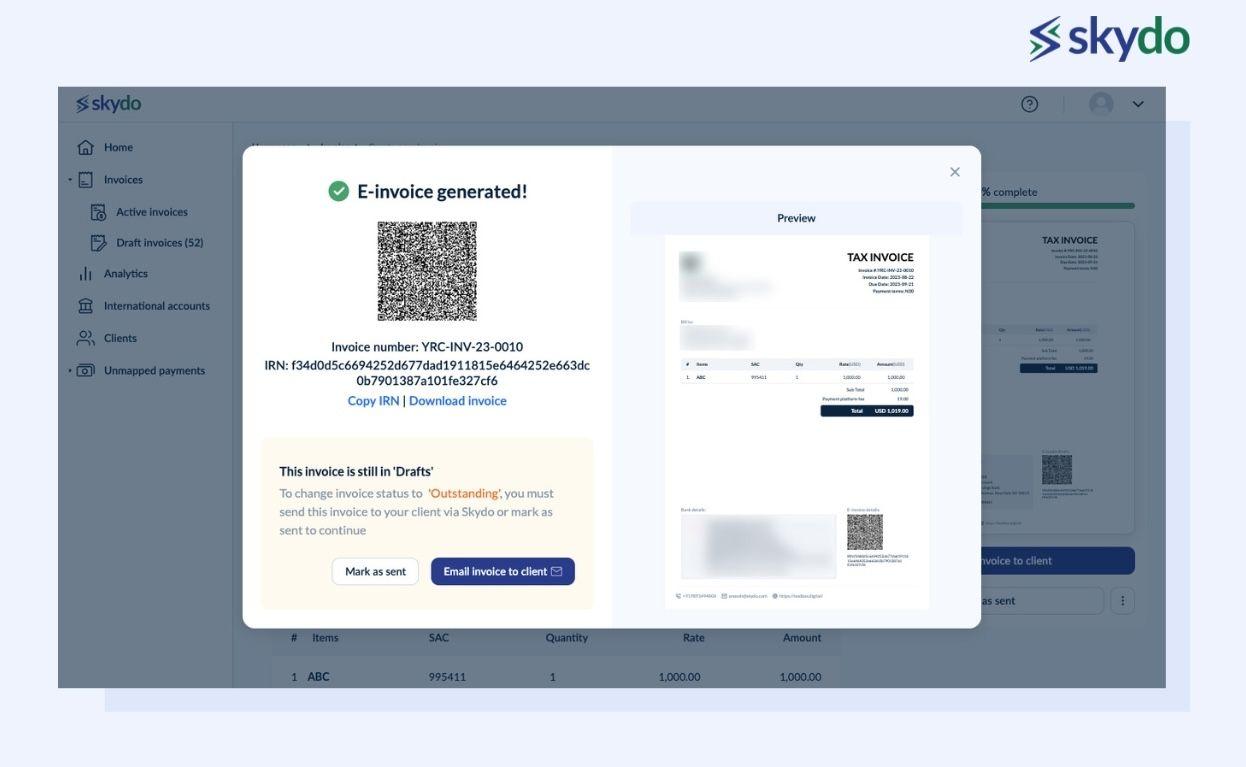
In addition to digital invoices, the Skydo payment platform also offers an e-invoicing feature to receive international payments. Once you have finalised the invoice, you can generate an e-invoice which will create the QR code for it. You can either send your invoice to your client or download a draft PDF for review. If needed, you also have the option to remove the invoice.
Save 50% on every international transfer
- Receive from 150+ countries
- Get global accounts
- Zero forex margin
#4: Sending and tracking payment reminders
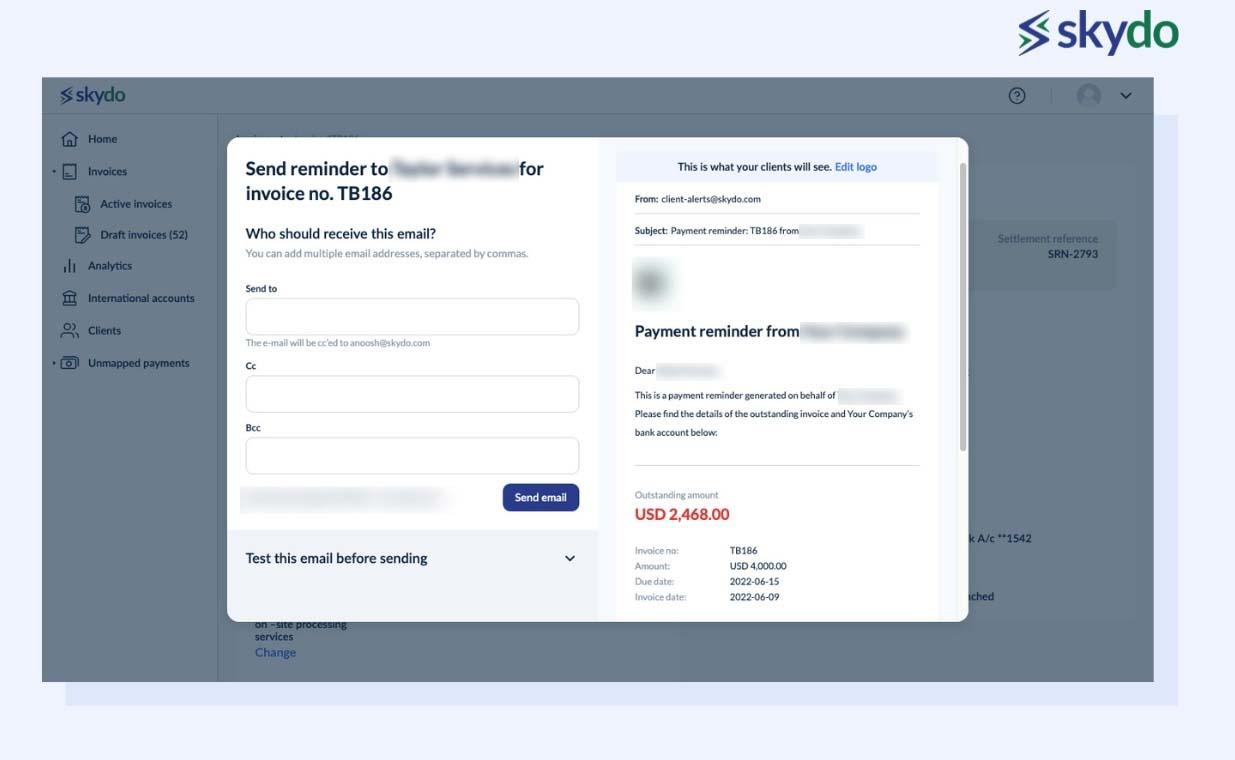
Skydo lets you send payment reminder emails to clients who are late on an invoice, straight from your invoicing dashboard. You can customize each reminder and preview it before it goes out, so you can check what the client will see.
For every invoice, Skydo logs how many reminders you've sent and the date of each one, so you know when it's time to follow up again. It also shows whether the client has opened the reminder email. For example, if a client hasn't opened the last two reminders, a call or a message on another channel will probably work better than a third email.
#5: Payment tracking
Skydo tracks every invoice on a timeline that shows each stage: sent, viewed by the client, payment in process, and payment completed once the money reaches your Indian bank account. You can see where each payment stands at any moment, so you don't need to email the client or the bank to ask.

#6: Auto-generated FIRA - One-click download
Skydo generates a Foreign Inward Remittance Advice (FIRA) automatically for every international payment you receive. It's sent to your inbox and also stays on your dashboard, where you can download any FIRA in one click. That keeps all your FIRAs in one place, so you don't have to request each one from a bank.
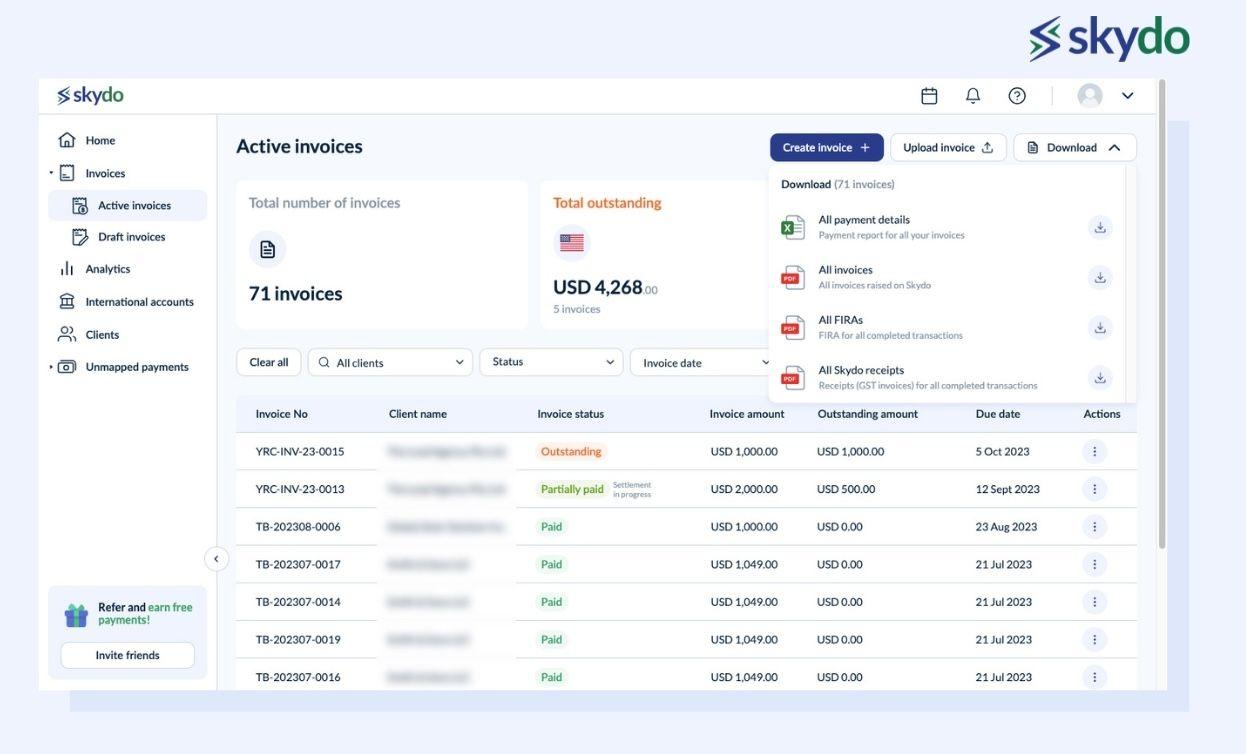
A FIRA is your proof that an export payment came into India in foreign currency. You need it to show a service export as a zero-rated supply under GST, to claim GST refunds on exports, and to back up your foreign income during tax filing or an audit. Because Skydo issues one for every payment, your documents are ready whenever your CA or the tax department asks for them.
Save 50% on every international transfer
- Receive from 150+ countries
- Get global accounts
- Zero forex margin
#7: Overall and client-specific revenue analysis
Skydo's dashboard breaks down your revenue by month and by client, and shows which services bring in the most money. Monthly figures show whether the business is growing, and the client view shows which accounts contribute the most. For example, if two clients make up most of your revenue, you know which relationships to protect first and where depending on too few clients is a risk.

The service-level view shows which of your services earn the most and which clients buy them. For example, if website redesigns bring in more revenue than maintenance retainers, your sales team knows which offer to lead with in new pitches and where to focus its time.
#8: Ledger for payment validation
Skydo keeps an up-to-date ledger for each client, listing every invoice raised and every payment received, with dates and amounts. When a client disputes how much is still pending, you can share the ledger in one click and settle the question with a full record of the account.
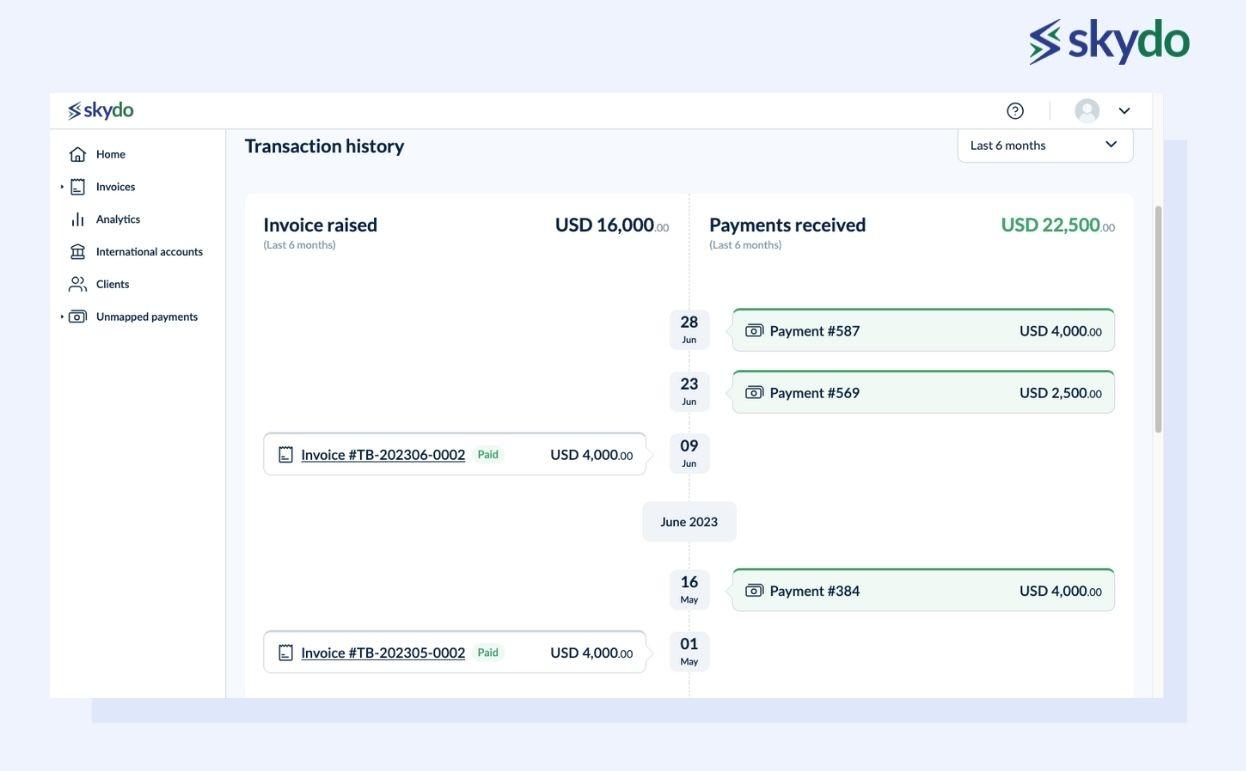
For example, if a client believes they have cleared all of March's invoices but one is still unpaid, the shared ledger shows each invoice next to the payment that settled it. The missing payment becomes obvious, and nobody has to dig back through old email threads.
Revenue Leak Calculator
- Fees quietly eating margin?
- Current provider vs Skydo
- Reclaim what's yours

Bonus: Transparent and Flat Fee pricing
Skydo charges a flat fee on each payment you receive and converts at the live exchange rate with zero forex margin. The fee is USD 19 for payments up to USD 2,000, USD 29 for payments from USD 2,001 to USD 10,000, and 0.3% for payments above USD 10,000, plus 18% GST on the fee. Businesses receiving more than USD 100,000 a month can ask for custom pricing.
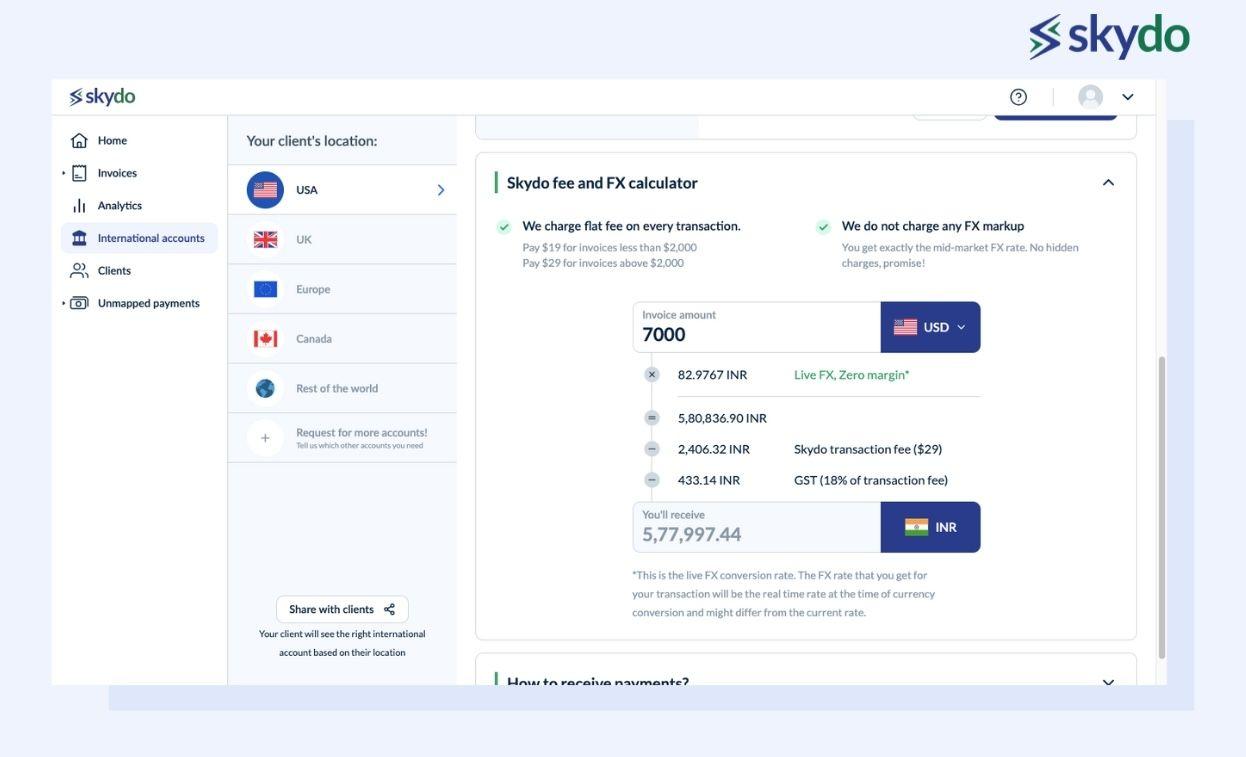
A straightforward approach with flat fees eliminates surprises and guarantees transparency. This innovative strategy liberates you from exorbitant charges, potentially saving substantial sums annually.

Get international bank accounts in 5 mins

Save as much as ₹10 lakh annually with Zero FX Margin

Real time payment tracking and instant FIRA
Get international bank accounts in 5 mins
Save as much as ₹10 lakh annually with Zero FX Margin
Real time payment tracking and instant FIRA
About the author

Growth
Anoosh, an IIT graduate with a background in engineering, now leads growth initiatives at Skydo.

Verified by
CA Akshay KumarLatest blog posts
View all posts
8 Best Payment Gateways for SaaS Companies in India in 2026

SAC Code in GST: Meaning, & How to Find Yours

Best Ways to Receive International Payments in India in 2026
Related blog posts
View all posts
How to Generate an EDF With Skydo’s EDF Generator? A Step-by-Step Guide
How to Sign Up on Skydo in 5 Minutes: A Step-by-Step Guide